EMR Clinical Workspace
Empower your clinic with
EMR Clinical Workspace
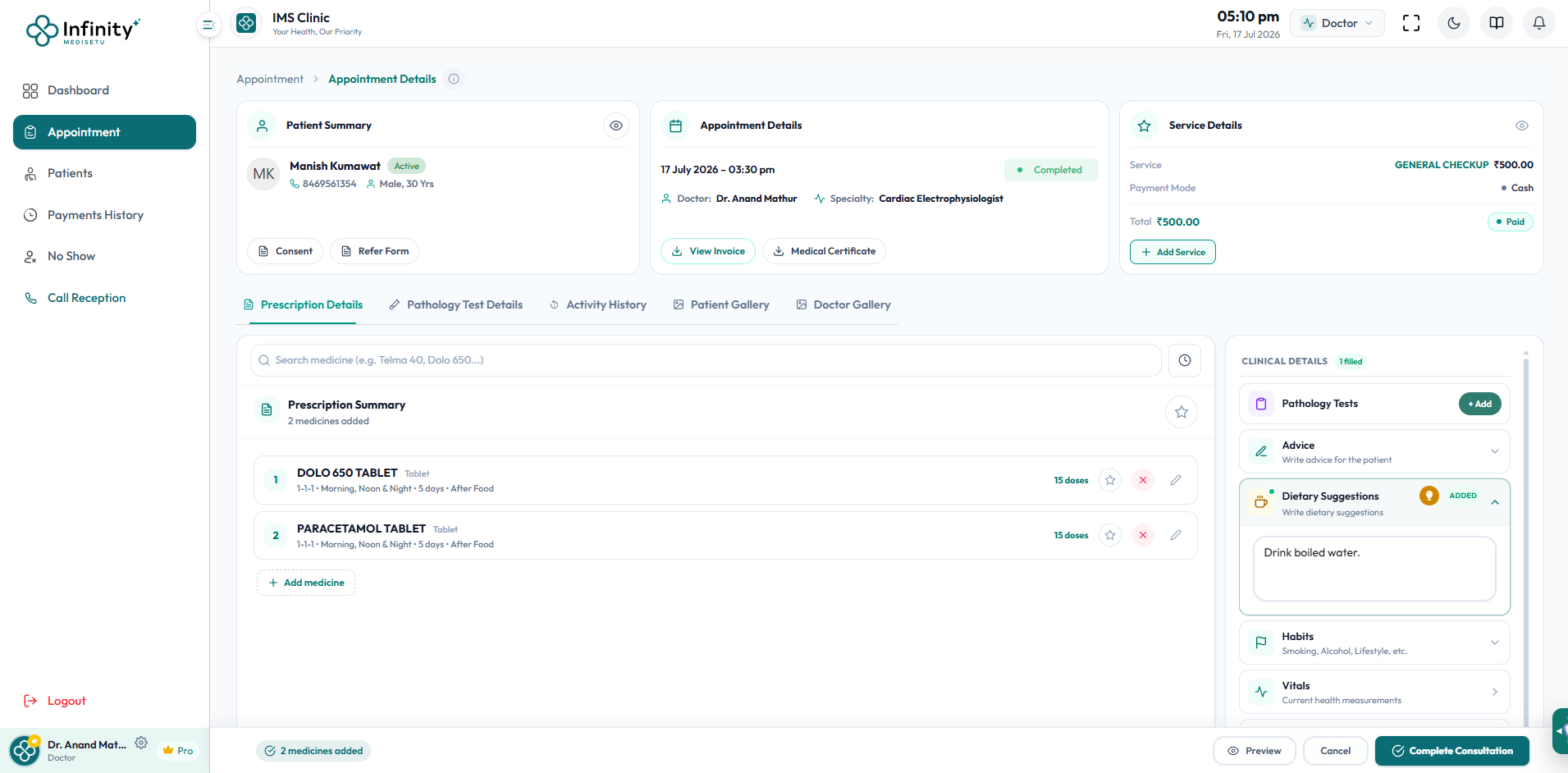
The Infinity MediSetu EMR Clinical Workspace is a unified doctor console combining smart e-prescriptions, lab test ordering, pathology details, patient gallery, and clinical decision tools on a single screen. The Clinical Details panel provides structured capture of vitals, diagnosis, allergies, dietary advice, lifestyle habits, and surgery suggestions — while AI-powered dietary suggestion tools help doctors provide holistic care in seconds. Built for speed and accuracy, the workspace cuts consultation admin time by half.
Core Capabilities & Workflows
Explore the deep functionality and user interfaces built to simplify clinic management.

Smart Prescription Writer
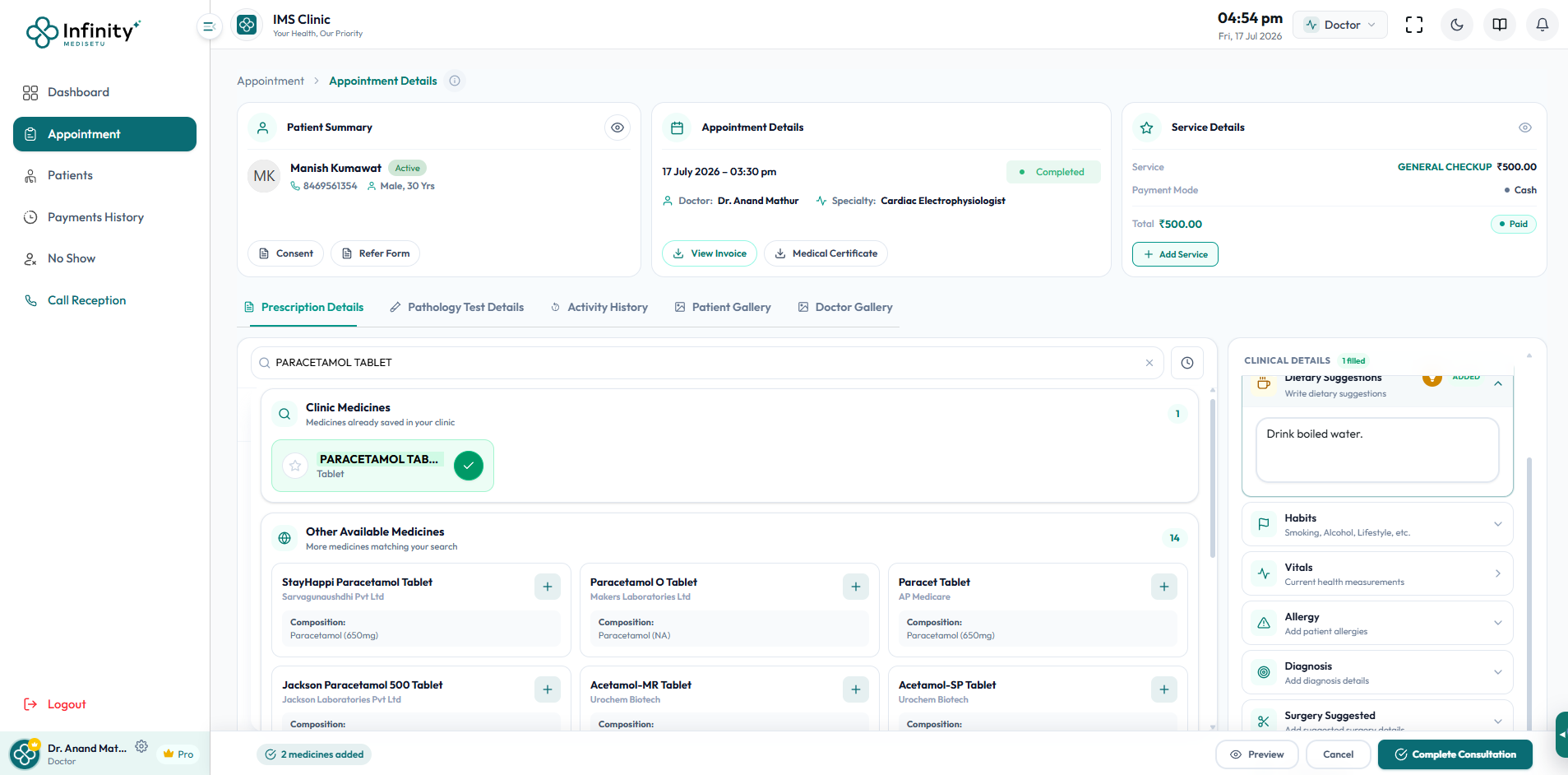
Search medicines with autocomplete, configure dosage, frequency, meal timing, and duration — generate a complete e-prescription in seconds.
- Search across clinic catalog & generic database
- Configure Schedule (1-1-1), Timing & Duration
Prescription Templates
Save frequently prescribed drug sets as templates for quick reuse across similar diagnoses, cutting prescription time to under a minute.
- Pre-built drug sets for common diagnoses
- One-click batch insertion into prescription
Digital Prescription PDF
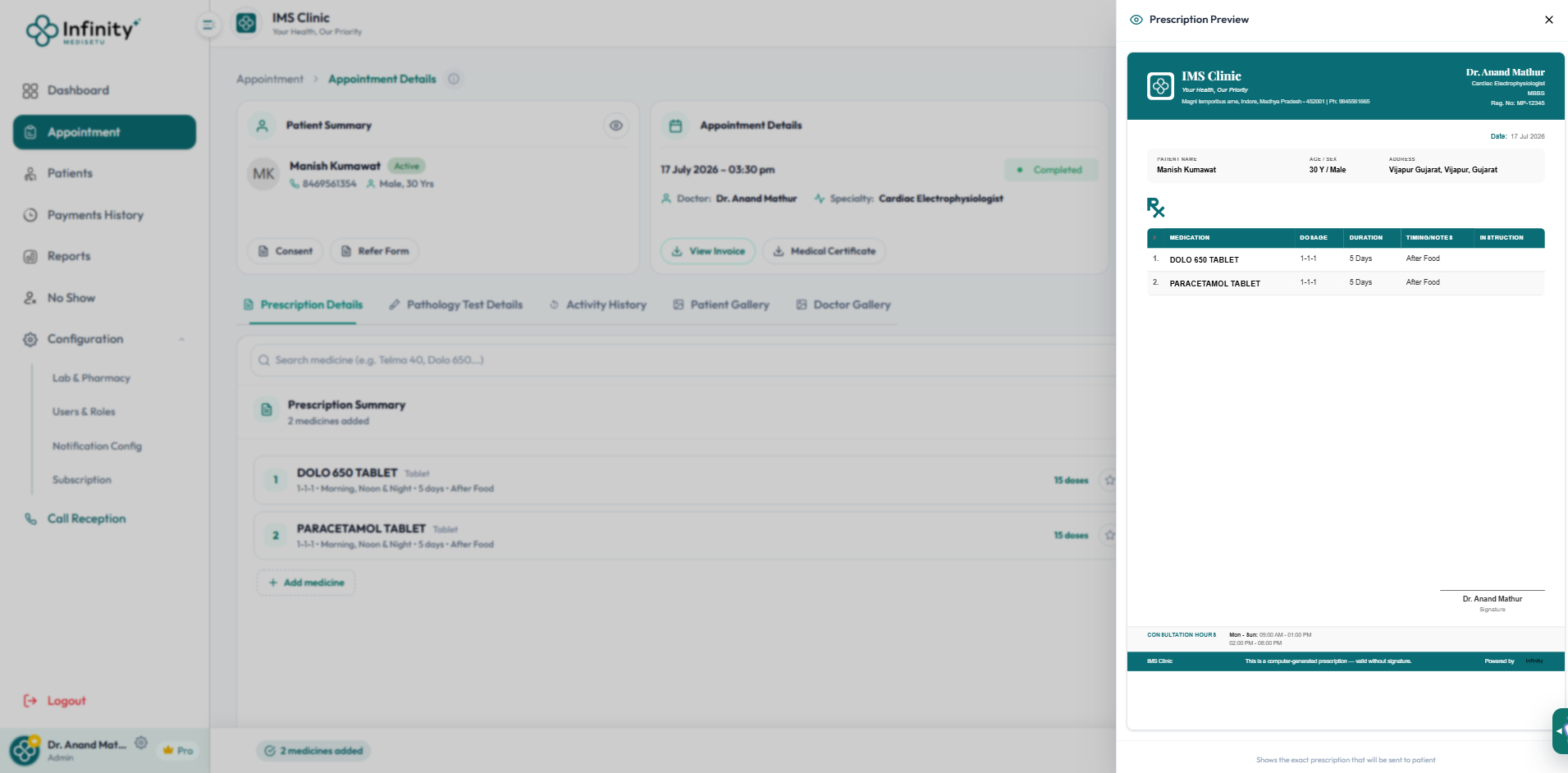
Preview a formatted printable PDF of the prescription with clinic branding, patient details, and all medicine instructions before sending.
- Formatted printable PDF layout with clinic branding
- Instant patient portal & WhatsApp transmission

Pharmacy Counter Integration
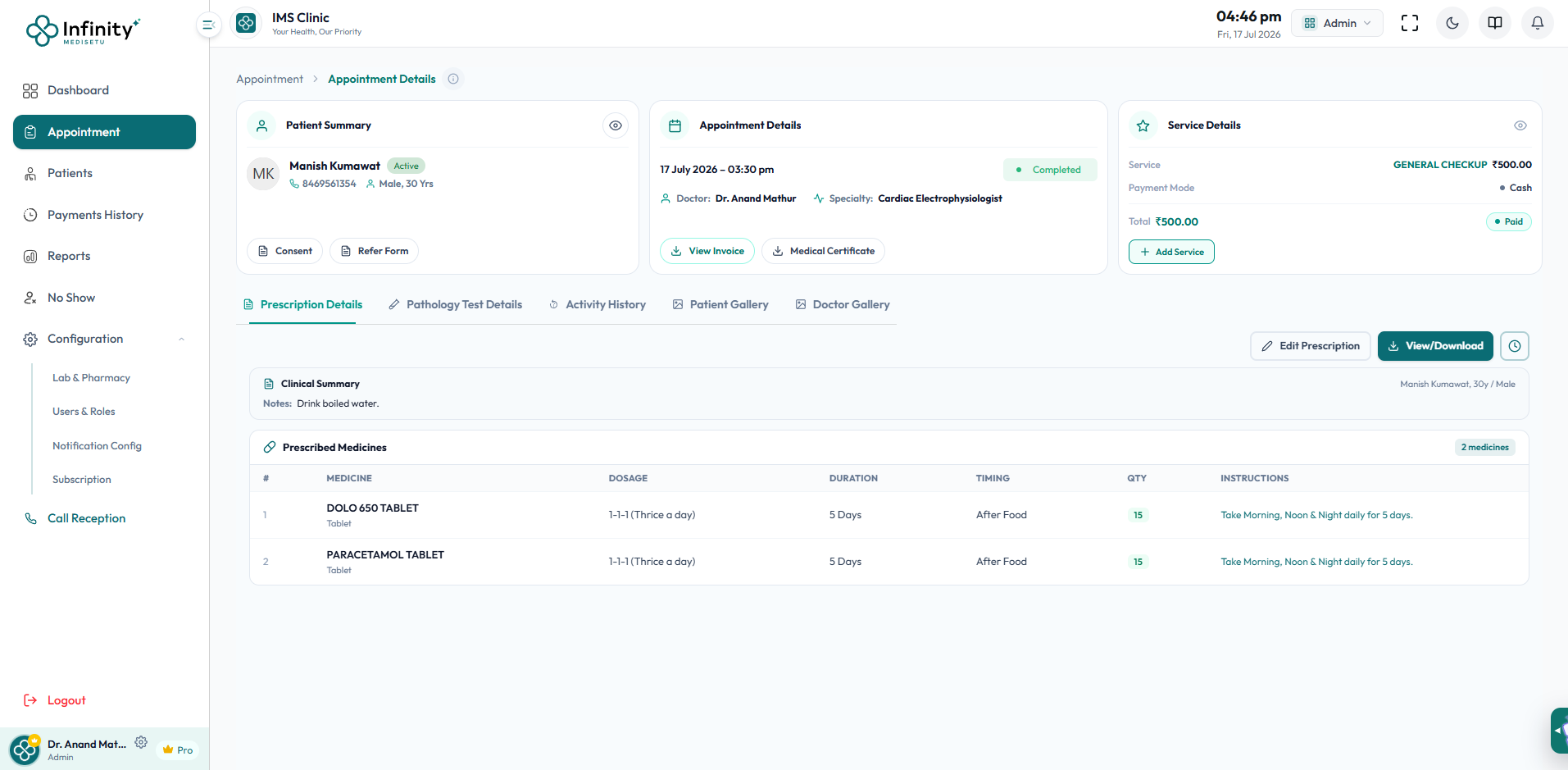
Prescriptions are immediately available at the pharmacy counter and sent to the patient — zero manual handover required.
- Instant prescription push to pharmacy counter
- Eliminates paper handovers and transcription errors
Why Choose Our Clinical Workspace?
Explore the key benefits that make our solution perfect for modern clinic management.
Smart E-Prescriptions
Build digital prescriptions in seconds with medicine search, SCHEDULE, TIMING, FREQUENCY, DURATION, and INSTRUCTION fields for each medicine.
Pathology Test Orders
Order lab tests from within consultation; orders appear instantly on the lab technician's console.
AI Dietary Suggestion Engine
One-click AI-generated dietary recommendations added directly to the consultation.
Complete Clinical Documentation
Structured capture of vitals, diagnosis, allergies, habits, dietary advice, surgery suggestions, visiting days, and follow-up schedule.
Patient & Doctor Gallery
Upload clinical images linked to the appointment record under dedicated Patient Gallery and Doctor Gallery tabs.
Consent, Referral & Medical Certificate
Generate Consent forms and Referral forms from within the consultation, and issue Medical Certificates — all paperless.
How It Works
Simple, step-by-step workflow designed for extreme efficiency.
Step 1: Start Consultation
Doctor opens the appointment detail, reviews the patient summary, and begins entering clinical observations in the structured Clinical Details panel.
Step 2: Prescribe & Order Tests
Search and add medicines with dosage configuration, order pathology tests, add dietary suggestions with AI assistance, and upload any clinical images.
Step 3: Preview & Complete
Preview the complete prescription, generate an invoice, and mark the consultation as completed — automatically updating the patient's EHR and pharmacy queue.
Frequently Asked Questions
Got questions? We have answers. Learn more about the EMR Clinical Workspace.